Showing posts with label facebook. Show all posts

Friday, July 24, 2015

Social Bookmarking, Pinterest and Social Media Tools for Business

What is Social Media? What is Social Bookmarking? Can it Help Me Grow My Business?

Facebook is NOT a good business tool, unless you incorporate it into a valid Social Media Marketing strategy! I teach the two levels of Social Media. Level 1 being the keyword-rich content and Level-2, the share.  

Social Media Marketing, SEO, WordPress and Social Bookmarking
If you've ever wondered how the "SEO Gurus" seem to be able to get pages to the top of a Google search? One of the tools they use is Social Media. 

As mentioned above, the first thing needed is relevant, keyword-rich, target market, valuable content. Then this Level-1 content is shared across many Level-2 Social Media tools like Facebook, LinkedIn, Twitter, Pinterest, and Social Bookmarking sites such as Digg, Delicious, Reddit and StumbleUpon. 

But does this really work to build your business? The answer is yes! You are able to level the playing field and even dominate Google Search with a great Social Media Marketing strategy that includes keyword-rich Social Media Level-1 content, followed by posting such content on the Social Media Level-2 sites, such as Facebook, Twitter, LinkedIn, Pinterest, Digg, Delicious, Reddit and StumbleUpon, among many others.

This strategy does work to increase traffic to your website and other sites and to grow your sales and profits! As I say in my courses, it's about "Social Media Domination".  

If you are in Miami or South Florida you can take my courses in Social Media Mastery, SEO, Local Social Media, Email Marketing, WordPress and other business building courses.  Just follow some of the links below to get more information.

Manny Sarmiento - CEO
New Media, New Marketing, Inc,

WordPress Training and Classes Miami


Tuesday, March 31, 2015

Your Old School Marketing Ideas Are Dead! Get a New Marketing Life and Your Business Will Thrive!

Your Old School Marketing Ideas are Dead! 


     You've got to get a New Marketing life or your business will die! It's funny how universities are still using the same 50 year old text book with the $150 price tag. BUt what's not funny is that these same universities don't seem to be embracing New Marketing ideas and concepts that have become the real tools to grow your business in the 21st century!

     We are in the New World, of New Media and New Marketing. You must embrace the New Tools and technologies, understand them and master them! Once you do, your business world begins to open up. New revenue sources begin to appear! Your profits begin to soar! Your bank account begins to grow!

     Don't embrace New Marketing and your business withers away! Customers don't appear! Your business dies a quick death! Lets look at some of these "New Marketing" concepts and lets watch your business blossom!

Sale is a Four Letter S Word!


    Stop "selling" and start Marketing! As a matter of fact, never say the "S" word again. Anytime you feel like saying the "S" word replace it with the "M" word; Marketing. This alone will change your life! "Selling" in the New Marketing world is dead!

Social Media is NOT the Answer!


   It's strange to hear that from a person who teaches Social Media, SEO and Internet Marketing, but you've got to deprogram your mind from an Orwellean concept that Facebook and Twitter will save your business. They won't!

   The problem with Facebook is that no one is listening! Your hope of going "viral" are empty dreams of business nirvana that never seem to appear. Social Media Marketing can work, but it's got to be done right! The ROI of Social Media done wrong is most definitely negative.  I'm not saying give up on Social Media. I'm saying that you must understand it, learn it properly and know which are the right Social Media tools that will create positive ROI for your business. 

The Secret is in the ROI!


    The secret to any marketing tool you choose to test is to measure Return On Investment (ROI). Any marketing tool can work. Even the old school ones such as the yellow pages, radio or TV, flyers can work, but never throw your precious marketing budget at any media without having a way to measure it's ROI.  Here are some simple steps for using and measuring ROI:


  • Capture the Numbers
  • Set Up a Measuring Tool for Income, Profit and Expense
  • Know Where Your Sales are Coming From
  • Calculate the ROI = Profit / Expense > 1.0


If the ROI is greater than 1.0 then it's a good campaign. If it's less than 1.0 then move on to the next marketing tool do the same! Never continue to throw money at marketing tools that generate negative ROI.

There's a lot more to New Marketing. We've only touched upon a very small part of the New Marketing concepts. I'll continue to bring new blog postings that educate and entertain and takes your business to the next level!

Manny Sarmiento - President / CEO
New Media, New Marketing, Inc. 
http://www.newmedianewmarketing.com 


Sunday, January 12, 2014

Why You Don't Need a Facebook Page for Your Business

  The first thing you hear from social media "experts" is that you need a Facebook Page for your business. But why do you need a tool where 99 percent of what you post is never seen by anyone? So you get a Facebook Page opened. You make it pretty by branding it with your logo, image, colors and slogan. You then tell all your friends and visitors to "Like" your page and you manage to get 300 Likes to your page. Now what? How is your Facebook page important to your business?... Well, it's not!

   A normal Facebook Page will only serve to use up your time and money, unless...  Unless your create an iFrame for your Facebook Page. An iframe page encompasses the C.C.E.(TM) formula.  The C.C.E.(TM) makes your Facebook Page a practical, real business tool for growing your database, getting your visitors to take an action getting them to engage with you.


The C.C.E.(TM) Formula stands for:


  • C - Capture
  • C - Call to Action
  • E - Engagement
   With this formula implemented on your Facebook Page you can Capture leads and add them to a CRM or other databases. You get the visitor to your page to take an Action. And you create an Engagement, or communication with the visitor. All this leads to real return on investment for your business.

WordPress Training Courses Miami
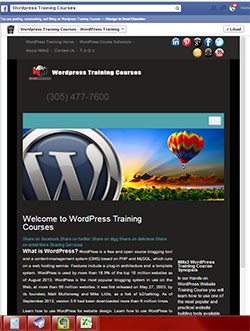
Figure 1.1 - Facebook Page iFrame

   There are many ways to create a Facebook Page iframe style page.  One of the easiest (and free) ways is an app from Facebook called Woobox. Woobox installs in minutes and lets you create and practical Facebook Page Tab where you can direct traffic instead of your Timeline, and get real results by putting the C.C.E.(TM) formula to work for you! See Figure 1.1 for sample.

   I teach many courses in Social Media Marketing, SEO, Internet Marketing, Marketing and business, and offer a Social Media Certification course, the Certified Social Media Marketing Specialist (CSMMS) program, which consists of 13 modules, quizzes and a project. The CSMMS program is designed to make you successful in your own Social Media Marketing business, or help you get a high paying job in these topics. 

You can get more information on the CSMMS program and www.CertificationInSocialMedia.com .

Manny Sarmiento - CEO
New Media,  New Marketing, Inc.

Sunday, August 18, 2013

What Does Chocolate Lava Cake Have to do with Social Media?

What Does Chocolate Lava Cake Have to do with Social Media? 


Sitting at Chili's enjoying the free Chocolate Lava Cake I was served after checking in on my Foursquare app, I got inspired to feed my readers a blog post on the importance of Local Social Media.


Social Media Marketing, Foursquare and the importance of Local Social Media.
Enjoying Free Chocolate
Lava Cake at Chili's
I'm always surprised to find  large number of businesses not using these proactive business building tolls like Foursquare. Foursquare is free, it's easy, and it brings business into your establishment! So why aren't businesses using it? Because very few business owners are learning and understanding Local Social Media. 

On Foursquare you can claim your business listing and advertise Specials for patrons who check in at your business. Potential patrons surfing on their smart phone will see an orange tab differentiating your business from others in the area, therefore giving you a proactive way to bring potential new clients to your business.

Listing your business on Foursquare is free and it is a better tool than Facebook, Yelp, Gowalla, Google Places or other check in apps because of it's ability to draw browsers to your business with Check In Specials.

Your First Foursquare Local Social Media Marketing Move


Simply go to Foursquare.com/business, click on Business Tools > Your Listing and the click on the Get Started button to claim your business on Foursquare. Confirm your listing then add Check In and Mayor Specials to your listing.

Once you've claimed your listing you will start driving more new and repeat customers to your place of business! Congratulations! 

Manny Sarmiento - President
New Media, New Marketing, Inc.

GET CERTIFIED! In Social Media...! 
http://www.certificationinsocialmedia.com 


Friday, August 16, 2013

ViralTalk: 3 Ways To Use SEO On Social Media

ViralTalk: 3 Ways To Use SEO On Social Media: “Usually when companies say they want to get better at social media, they really want to get better at SEO (Search Engine Optimizati... 

My Toastmaster Friend Eddy Lopez has published this great article on SEO!  Way to go Eddy!  

Manny Sarmiento - CEO 
New Media, New Marketing, Inc. 
http://www.certificationinsocialmedia.com 

Wednesday, August 14, 2013

8 Jobs in Social Media

"8 Jobs in Social Media"

Susan Ricker, CareerBuilder Writer 

Most people try to stay off of social-media websites such as Facebook or Twitter while working, knowing that if their boss catches them, they'll get lectured about putting more time and effort into their work. But what if your job required you to be on Facebook, interacting with friends and getting paid for having the most retweets?

You're in luck: This workplace daydream is a career reality. Demand for social-media jobs is growing as more companies want to join the social-media community. "The world's dependency on technology, the pervasiveness of social media and the need to drive sales and expand into new markets are all driving double-digit growth across a variety of fields," says Matt Ferguson, CEO of CareerBuilder. The Bureau of Labor Statistics' 2010-20 projections show the same, stating, "The growth of social media will result in the need for more workers to maintain an organization's public image."

Here are eight jobs that either directly relate to or involve social media*:

1. Advertisingpromotions and marketing manager

Advertising, promotions and marketing managers plan programs to generate interest in a product or service. They work with art directors, sales agents and financial staff members. According to the BLS, "Advertising and promotions managers will be needed to plan, direct and coordinate advertising and promotion campaigns, as well as to introduce new products to the marketplace. They will also be needed to manage digital media campaigns, which often target customers through the use of websites, social media and live chats."
Pay: According to the BLS, the median annual pay for advertising, promotions and marketing managers is $108,260.


Get Certified in Social Media! Social Media Professional Association

2. Blogger

According to The Creative Group's guide for social-media job descriptions, bloggers are "responsible for opinionated, stylish writing and frequently posting new content to the Internet. Duties may also include developing and/or revising text for other venues, including online communities, press releases, Web articles and video blogs."
Pay: The median annual pay for bloggers is $55,420, according to the BLS.


3. Community manager:

 "Community managers create and execute social-media strategies designed to accomplish real business objectives for brands," says Katherine Leonard, digital-content developer at lonelybrand, a digital marketing agency in Chicago.
Pay: According to social-media education company Social Fresh, the average annual pay for a community manager is $61,800.


4. Content-marketing manager:

 "I spend my days writing and promoting business blogs, e-books and white papers," says Jasmine Henry, content-marketing manager for Inbound Marketing Agentsin Nashville, Tenn. "No blog does well in a bubble, so being able to parse pithy quotes and pick topics that are going to inspire shares and retweets on major social-media channels is critical to our clients' success. I typically spend a great deal of time watching conversations on Twitter to figure out which topics are driving conversations, writing blog articles about these topics and then responding to questions and retweets."
Pay: According to CBSalary.com, the national average salary for content-marketing managers is $56,752.


5. Meeting, convention and event planner:

 Meeting, convention and event planners coordinate all aspects of professional meetings and events. They choose locations, arrange transportation and coordinate other details. The BLS states that "planners must be familiar with computers, database software, budgets and online social media."
Pay: According to the BLS, the median annual pay for this role is $45,260.


6. Public-relations manager and specialist

PR managers and specialists create and maintain a favorable public image for their employer or client. They write material for media releases, plan and direct PR programs and raise money for their organizations. "Growth of both will be driven by the need for organizations to maintain their public image in a high-information age and with the growth of social media," notes the BLS.
Pay: According to the BLS, the median annual pay for PR managers and specialists is $57,550.


7. Social-networking analyst

"A good portion of time is spent engaging with customers and acquiring new followers and fans," says Giselle Gonzales, social-media analyst at Sandbox Industries, a venture capital firm in Chicago. "We also scour the Web finding content that is most relevant to our follower base and will help us get a good conversation started."
Pay: According to CBSalary.com, the national average salary is $82,020.


8. Social-media manager:

 "Social-media managers are responsible for deciding what content to feature on our social-media channels, including Facebook, Twitter, YouTube and LinkedIn," says Jodey Smith, Web and social-media manager for SeaVentures Inc. in Alpharetta, Ga. "Daily tasks include posting, responding to community discussions and combating spam. Ongoing testing and various strategies and techniques make up a large part of the day."
Pay: According to CBSalary.com, the national average salary for social-media managers is $106,160.

Susan Ricker is a writer and blogger for CareerBuilder.com and its job blog, The Work Buzz. She researches and writes about job search strategy, career management, hiring trends and workplace issues.

Article Reprints
Permission must be obtained from CareerBuilder.com to reprint any of its articles. Please send a request toreprints@careerbuilder.com.

Posted with Permission from Career Builder by Manny Sarmiento:


Social Media Certification! Start a Social Media Business. Work in Social Media, Facebook, LinkedIn, Twitter, Google


GET CERTIFIED!... In Social Media at Social Media Professional Association.
http://www.CertificationInSocialMedia.com   

Monday, August 5, 2013

How to Start a Social Media Marketing Business

Social Media is the hottest topic on the planet for business! CEOs and business owners know they need it, but they don't know how to implement a practical Social Media Marketing strategy. This gives you the opportunity to start a new, in-demand, profitable business. Here are the different options to start a Social Media Marketing business.

When I coach my Social Media Certification students I give them the different tracks to choose in their new career. These are the top options to begin your new Social Media Marketing business:

  1. Social Media Management - Create and manage the business' Social Media Marketing strategy. You can charge from $250 to $5000 to set up their social media accounts, and a monthly maintenance fee of between $250 per month to $2500 per month.
  2. Local Business Social Media Marketing - New and existing businesses must have a real, practical social media and internet marketing campaign. Most businesses don't know this! Market yourself as a Local Business Social Media Marketing expert and you can run a lucrative, high-demand business.
  3. Search Engine Optimization SEO - Getting a business to the top of Google is easier than ever. With the Certified Social Media Marketing Specialist (TM) program you can learn how to optimize website to meet Google's guideline and help get your clients to the top of the search engines and earn money in your new business venture.
  4. Consulting and Coaching - As a Social Media Certified expert you can charge between $50 to $250 per hour to coach businesses in Social Media Marketing, SEO, Local Business Marketing, Blogging, and other social media tools. Business is booming! You can earn really good money helping businesses grow and thrive!
  5. Teaching Social Media - I earn really good money marketing Social Media Marketing, SEO and other internet marketing courses, including Social Media Marketing Certification. You can too! If you like teaching then this is the track for your success.
You can create a very lucrative business in Social Media Marketing. It's easy to learn! It's in high demand! You can easily be a part of this booming and money-making industry.

Manny Sarmiento - CEO
New Media, New Marketing, Inc. http://www.nmx2.com

GET SOCIAL MEDIA MARKETING CERTIFICATION at:
http://socialmediaprofessionalassociation.com/social_media_marketing_certification_enrollment.html 

Tuesday, July 2, 2013

Entrepreneurship Business Program | 29 Days of Summer Online and Live Seminars

 
Entrepreneur Seminars and Social Media Workshops
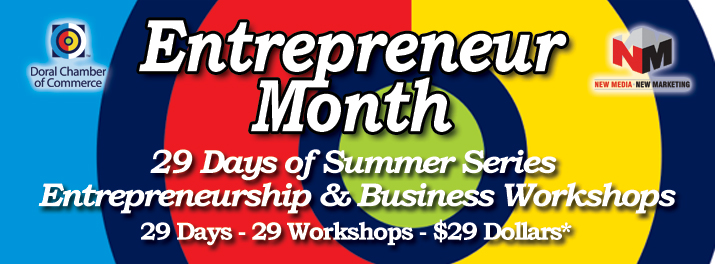
29 Days of Summer Series
Entrepreneurship & Business Workshops

29 Days - 29 Workshops - $29.00 Dollars Each*


Date: Monday, July 8, 2013
Workshop: How to Publish in Kindle
Time: 8:30 – 11:00 AM - Location: DCC Training Room, 8181 NW 36th Street, Suite 21-A, Doral

Description: Participants will learn to design, format, and prepare their book for Kindle! We’ll walk you through the necessary steps in creating a professional digital file of your book for quick upload to Kindle Direct Publishing.
Cost: $47.00 (Original Price: $127.00)
Webinar Registration: https://attendee.gototraining.com/r/3902926880922698240
Onsite Registration: http://events.constantcontact.com/register/event?llr=niazh9cab&oeidk=a07e7rgqczg8c8a546c

Date: Monday, July 8, 2013
Workshop: Twitter Strategies and Usage
Time: 1:30 – 4:00 PM - Location: DCC Training Room, 8181 NW 36th Street, Suite 21-A, Doral, FL
Description: Participants will learn the importance of Twitter as a communication and Search Engine Optimization tool. They will learn how to optimize their Twitter account for business branding and positioning and how to utilize shortcuts and updates to communicate effectively and reach potential clients and prospects.
Cost: $29.00 (Original Price: $97.00)
Webinar Registration: https://attendee.gototraining.com/r/3311348943249039104
Onsite Registration: http://events.constantcontact.com/register/event?llr=niazh9cab&oeidk=a07e7rgqczg8c8a546c

Date: Tuesday, July 9, 2013
Workshop: Social Media Marketing (SMM) Mastery Basic & Advanced Strategies
Time: 8:30 – 11:00 AM - Location: DCC Training Room, 8181 NW 36th Street, Suite 21-A, Doral
Description: Understand why you must start using Social Media Marketing. Participants will learn what is Social Media (SM), Social Book Marking (SB), Blogs, Microblogs and how to effectively use Google, Twitter, Facebook, MySpace, Linkedin, YouTube, blogs, PR releases and other social media tools to build a powerful online brand.
Cost: $29.00 (Original Price: $97.00)

Webinar Registration: https://attendee.gototraining.com/r/8105971706305170432
Onsite Registration: http://events.constantcontact.com/register/event?llr=niazh9cab&oeidk=a07e7rgqczg8c8a546c

Date: Tuesday, July 9, 2013
Workshop: DIY-SEO - Do It Yourself Website Optimization Strategies
Time: 1:30 – 4:00 PM
Location: DCC Training Room, 8181 NW 36th Street, Suite 21-A, Doral, FL 33166
Description: During this session participants will learn how to optimize their sites on the web, how to use meta tags, keywords, description, title, <H1>, <H2>, content, alt-tags in the construction of web sites. 
Cost: $29.00 (Original Price: $97.00)
Webinar Registration: https://attendee.gototraining.com/r/5823863854600965632
Onsite Registration: http://events.constantcontact.com/register/event?llr=niazh9cab&oeidk=a07e7rgqczg8c8a546c


Date: Wednesday, July 10, 2013
Workshop: How to Start Your Start-up
Time: 1:30 – 4:00 PM - Location: DCC Training Room, 8181 NW 36th Street, Suite 21-A, Doral, FL
Description: Participants will learn on real steps and know-how to Starting their own business to ensure the business has a successful start.
Cost: $47.00 (Original Price: $127.00)
Webinar Registration: https://attendee.gototraining.com/r/2796195859798877952
Onsite Registration: http://events.constantcontact.com/register/event?llr=niazh9cab&oeidk=a07e7rgqczg8c8a546c


Date: Monday, July 15, 2013
Workshop: Facebook Business Strategies and Functional Usage
Time: 8:30 – 11:00 AM - Location: DCC Training Room, 8181 NW 36th Street, Suite 21-A, Doral

Description: Participants will learn real uses of Facebook to grow their business and create real, working, business relationships and contacts. They will learn how to use the C.C.E. formula for real engagement, lead capture and getting Facebook users to take action that enhances the business relationship.
Cost: $29.00 (Original Price: $97.00)
Webinar Registration: https://attendee.gototraining.com/r/6629476024272516864
Onsite Registration: http://events.constantcontact.com/register/event?llr=niazh9cab&oeidk=a07e7rgqczg8c8a546c


Date: Monday, July 15, 2013
Workshop: LinkedIn for Business
Time: 1:30 – 4:00 PM - Location: DCC Training Room, 8181 NW 36th Street, Suite 21-A, Doral, FL
Description: In this Module participants will learn real, practical tips to properly use LinkedIn for building relationships, increasing quality business contacts, increasing sales, and increasing the chances of getting found on Google and other search engines.
Cost: $29.00 (Original Price: $97.00)
Webinar Registration: https://attendee.gototraining.com/r/5877458449385433600
Onsite Registration: http://events.constantcontact.com/register/event?llr=niazh9cab&oeidk=a07e7rgqczg8c8a546c


Date: Tuesday, July 16, 2013
Workshop: YouTube & Video Marketing
Time: 1:30 – 4:00 PM - Location: DCC Training Room, 8181 NW 36th Street, Suite 21-A, Doral, FL
Description: Participants will learn the importance of using YouTube and other Social Media Video sites to get their business websites ranked high on the search engines. They will learn how to properly cross utilize video and other video sites and the option for creating video and promoting them on the web.
Cost: $29.00 (Original Price: $97.00)
Webinar Registration: https://attendee.gototraining.com/r/73697317286125056
Onsite Registration: http://events.constantcontact.com/register/event?llr=niazh9cab&oeidk=a07e7rgqczg8c8a546c


Date: Wednesday, July 17, 2013
Workshop: Location Based Social Search Marketing
Time: 8:30 – 11:00 AM - Location: DCC Training Room, 8181 NW 36th Street, Suite 21-A, Doral,

Description: Some of your intelligent competitors are using social media tools such as Yelp, Google Places, Foursquare, and many more sites to create a buzz for their restaurant or business on the internet and have new customers become your raving fans. What about your business? Learn how Location-based Search can drive new customers to your business.
Cost: $29.00 (Original Price: $97.00)
Webinar Registration: https://attendee.gototraining.com/r/4063064152438842368
Onsite Registration: http://events.constantcontact.com/register/event?llr=niazh9cab&oeidk=a07e7rgqczg8c8a546c


Date: Wednesday, July 17, 2013
Workshop: Social Media Press Releases / Writing Press Releases
Time: 1:30 – 4:00 PM - Location: DCC Training Room, 8181 NW 36th Street, Suite 21-A, Doral, FL
Description: Participants will learn how to effectively use formats and templates to write and publish press releases to increase awareness of business activities and events. Using free, online press releases to increase traffic and get their websites ranking higher on Google and other search engines.
Cost: $29.00 (Original Price: $97.00)
Webinar Registration: https://attendee.gototraining.com/r/5141227662449970688
Onsite Registration: http://events.constantcontact.com/register/event?llr=niazh9cab&oeidk=a07e7rgqczg8c8a546c


Date: Thursday, July 18, 2013
Workshop: How to Start a Social Media Business
Time: 2:30 – 5:00 PM
Location: DCC Training Room, 8181 NW 36th Street, Suite 21-A, Doral, FL 33166
Description: Participants will learn how to to successfully manage Social Media campaigns, create a social media marketing plan and effectively run a social media marketing business.
Cost: $29.00 (Original Price: $97.00)
Webinar Registration: https://attendee.gototraining.com/r/7497154525820519168
Onsite Registration: http://events.constantcontact.com/register/event?llr=niazh9cab&oeidk=a07e7rgqczg8c8a546c


Date: Friday, July 19, 2013
Workshop: Google Adwords, Pay Per Click Advertising and Affiliate Marketing
Time: 1:30 – 4:00 PM - Location: DCC Training Room, 8181 NW 36th Street, Suite 21-A, Doral, FL
Description: Participants will learn how to properly utilize Pay Per Click advertising such as Google Adwords to drive new traffic to their sites while controlling expense and maximizing return on investment. Using affiliate marketing to increase revenues using existing web site or blog traffic.
Cost: $29.00 (Original Price: $97.00)
Webinar Registration: https://attendee.gototraining.com/r/4791311385445213696
Onsite Registration: http://events.constantcontact.com/register/event?llr=niazh9cab&oeidk=a07e7rgqczg8c8a546c


Date: Saturday, July 20, 2013
Workshop: Quickbooks for Business - Beginner & Intermediate Course (SPANISH)
Time: 8:30 AM – 5:30 PM - Location: DCC Training Room, 8181 NW 36th Street, Suite 21-A, Doral, FL
Description: Seminar Presented by a QuickBooks Instructor to prepare you with the tools and understanding you need to take advantage of the power QuickBooks offers.
Cost: $127.00 (Original Price: $297.00) - Info: http://www.quickbookstrainingcourses.com


Date: Tuesday, July 23, 2013
Workshop: How to Start Your Start-up
Time: 8:30 – 11:00 AM - Location: DCC Training Room, 8181 NW 36th Street, Suite 21-A, Doral,

Description: Participants will learn on real steps and know-how to Starting their own business to ensure the business has a successful start.
Cost: $47.00 (Original Price: $127.00)
Webinar Registration: https://attendee.gototraining.com/r/5722214004613420544
Onsite Registration: http://events.constantcontact.com/register/event?llr=niazh9cab&oeidk=a07e7rgqczg8c8a546c

Date: Tuesday, July 23, 2013
Workshop: Email Marketing Basics Hands-on – Constant Contact
Time: 1:30 – 4:00 PM - Location: DCC Training Room, 8181 NW 36th Street, Suite 21-A, Doral, FL
Description: Participant will learn how email marketing – the low-cost marketing tool – can really help you drive your business success. This practical program gives you a concise, but comprehensive overview of how easy it is to create and send professional-looking email newsletters and promotions.
Cost: $29.00 (Original Price: $97.00)
Webinar Registration: https://attendee.gototraining.com/r/4002080839516038144
Onsite Registration: http://events.constantcontact.com/register/event?llr=niazh9cab&oeidk=a07e7rgqczg8c8a546c

Date: Wednesday, July 24, 2013
Workshop: Workshop on Conventional & Non-Conventional International Trade (Import/Export) Financing (ENGLISH)
Time: 8:30 – 11:00 AM - Location: DCC Training Room, 8181 NW 36th Street, Suite 21-A, Doral, FL
Description: Participant will learn of the many conventional export programs available such as from Eximbank and non-conventional finance export programs along with the application process.
Cost: $29.00 (Original Price: $97.00)
Webinar Registration: https://attendee.gototraining.com/r/1233705174334215936
Onsite Registration: http://events.constantcontact.com/register/event?llr=niazh9cab&oeidk=a07e7rgqczg8c8a546c


Date: Wednesday, July 24, 2013
Workshop: Workshop on Conventional & Non-Conventional International Trade (Import/Export) Financing (SPANISH)
Time: 1:30 – 4:00 PM - Location: DCC Training Room, 8181 NW 36th Street, Suite 21-A, Doral, FL
Description: Participant will learn of the many conventional export programs available such as from Eximbank and non-conventional finance export programs along with the application process.
Cost: $29.00 (Original Price: $97.00)
Webinar Registration: https://attendee.gototraining.com/r/3958220221172500480
Onsite Registration: http://events.constantcontact.com/register/event?llr=niazh9cab&oeidk=a07e7rgqczg8c8a546c


Date: Wednesday, July 24, 2013
Workshop: QuickBooks for Business - Beginner & Intermediate Course (ENGLISH)
Time: 8:30 AM – 5:30 PM - Location: Keiser University - 1640 SW 145th Avenue, Pembroke Pines,

Description: Seminar Presented by a QuickBooks Instructor to prepare you with the tools and understanding you need to take advantage of the power QuickBooks offers.
Cost: $127.00 (Original Price: $297.00) - Info: http://www.quickbookstrainingcourses.com


Date: Thursday, July 25, 2013
Workshop: DIY-SEO - Do It Yourself Website Optimization Strategies (SPANISH)
Time: 9:00 – 11:30 AM - Location: DCC Training Room, 8181 NW 36th Street, Suite 21-A, Doral,

Description: During this session participants will learn how to optimize their sites on the web, how to use meta tags, keywords, description, title, <H1>, <H2>, content, alt-tags in the construction of web sites.
Cost: $29.00 (Original Price: $97.00)
Webinar Registration: https://attendee.gototraining.com/r/24565640199369728
Onsite Registration: http://events.constantcontact.com/register/event?llr=niazh9cab&oeidk=a07e7rgqczg8c8a546c


Date: Thursday, July 25, 2013
Workshop: Basic, Intermediate & Advanced Marketing
Time: 1:30 – 4:00 PM - Location: DCC Training Room, 8181 NW 36th Street, Suite 21-A, Doral, FL
Description: Participants will learn how Education Based Marketing can be used to engage potential clients, break the ice and create Top of Mind Awareness. More than ever, clients prefer to do business with “experts”.
Cost: $29.00 (Original Price: $97.00)
Webinar Registration: https://attendee.gototraining.com/r/2781600942452374784
Onsite Registration: http://events.constantcontact.com/register/event?llr=niazh9cab&oeidk=a07e7rgqczg8c8a546c


Date: Friday, July 26, 2013
Workshop: Special Events Coordination & Management
Time: 8:30 – 11:00 AM - Location: DCC Training Room, 8181 NW 36th Street, Suite 21-A, Doral

Description:
Cost: $29.00 (Original Price: $97.00)
Webinar Registration: https://attendee.gototraining.com/r/9195693282548799744
Onsite Registration: http://events.constantcontact.com/register/event?llr=niazh9cab&oeidk=a07e7rgqczg8c8a546c


Date: Friday, July 26, 2013
Workshop: Making Money with Your PC - Internet Entrepreneur Seminar
Time: 1:30 – 4:00 PM - Location: DCC Training Room, 8181 NW 36th Street, Suite 21-A, Doral, FL
Description: This seminar reveals exact ideas and strategies to earn additional income with your Laptop! You can become a Laptop Business Entrepreneur! Whether you need an extra $100 per week or you want to create a thriving online business, the Making Money with Your Computer gives you the tools and knowledge that you need!
Cost: $29.00 (Original Price: $97.00)
Webinar Registration: https://attendee.gototraining.com/r/1053477626355960832
Onsite Registration: http://events.constantcontact.com/register/event?llr=niazh9cab&oeidk=a07e7rgqczg8c8a546c


Date: Saturday, July 27, 2013
Workshop: How to Build a Productive & Successful Sales Team
Time: 9:00 – 11:30 AM - Location: DCC Training Room, 8181 NW 36th Street, Suite 21-A, Doral,

Description: Participants will learn the” 7 Sales Steps” on how to be productive and successful in the sales industry.
Cost: $29.00 (Original Price: $97.00)
Webinar Registration: https://attendee.gototraining.com/r/8719937899745095936
Onsite Registration: http://events.constantcontact.com/register/event?llr=niazh9cab&oeidk=a07e7rgqczg8c8a546c


Date: Saturday, July 27, 2013
Workshop: DIY-SEO - Do It Yourself Website Optimization Strategies
Time: 1:30 – 4:00 PM - Location: DCC Training Room, 8181 NW 36th Street, Suite 21-A, Doral, FL
Description: During this session participants will learn how to optimize their sites on the web, how to use meta tags, keywords, description, title, <H1>, <H2>, content, alt-tags in the construction of web sites.
Cost: $29.00 (Original Price: $97.00)
Webinar Registration: https://attendee.gototraining.com/r/1688603921071090688
Onsite Registration: http://events.constantcontact.com/register/event?llr=niazh9cab&oeidk=a07e7rgqczg8c8a546c


Date: Monday, July 29, 2013
Workshop: YouTube & Video Marketing
Time: 8:30 – 11:00 AM - Location: DCC Training Room, 8181 NW 36th Street, Suite 21-A, Doral

Description: Participants will learn the importance of using YouTube and other Social Media Video sites to get their business websites ranked high on the search engines. They will learn how to properly cross utilize video and other video sites and the option for creating video and promoting them on the web.
Cost: $29.00 (Original Price: $97.00)
Webinar Registration: https://attendee.gototraining.com/r/4432396705279175936
Onsite Registration: http://events.constantcontact.com/register/event?llr=niazh9cab&oeidk=a07e7rgqczg8c8a546c


Date: Monday, July 29, 2013
Workshop: Google Adwords, Pay Per Click Advertising and Affiliate Marketing
Time: 1:30 – 4:00 PM - Location: DCC Training Room, 8181 NW 36th Street, Suite 21-A, Doral, FL
Description: Participants will learn how to properly utilize Pay Per Click advertising such as Google Adwords to drive new traffic to their sites while controlling expense and maximizing return on investment. Using affiliate marketing to increase revenues using existing web site or blog traffic.
Cost: $29.00 (Original Price: $97.00)
Webinar Registration: https://attendee.gototraining.com/r/7260872775546927616
Onsite Registration: http://events.constantcontact.com/register/event?llr=niazh9cab&oeidk=a07e7rgqczg8c8a546c


Date: Tuesday, July 30, 2013
Workshop: Social Media Marketing (SMM) Mastery Basic & Advanced Strategies
Time: 2:30 – 5:00 PM - Location: DCC Training Room, 8181 NW 36th Street, Suite 21-A, Doral, FL
Description: Understand why you must start using Social Media Marketing. Participants will learn what is Social Media (SM), Social Book Marking (SB), Blogs, Microblogs and how to effectively use Google, Twitter, Facebook, MySpace, Linkedin, YouTube, blogs, PR releases and other social media tools to build a powerful online brand.
Cost: $29.00 (Original Price: $97.00)
Webinar Registration: https://attendee.gototraining.com/r/9208209023408011520
Onsite Registration: http://events.constantcontact.com/register/event?llr=niazh9cab&oeidk=a07e7rgqczg8c8a546c


Date: Friday, August 2, 2013
Workshop: Blogging for Business Success
Time: 8:30 – 11:00 AM - Location: DCC Training Room, 8181 NW 36th Street, Suite 21-A, Doral
Description: Participants will learn real strategies of using blogs for business, which blog platform to use, how to optimize blogs for the search engines and the use of blogs as a relationship building tool to grow their business.
Cost: $29.00 (Original Price: $97.00)
Webinar Registration: https://attendee.gototraining.com/r/6767762701210384640
Onsite Registration: http://events.constantcontact.com/register/event?llr=niazh9cab&oeidk=a07e7rgqczg8c8a546c


Date: Friday, August 2, 2013
Workshop: Location Based Social Search Marketing
Time: 1:30 – 4:00 PM - Location: DCC Training Room, 8181 NW 36th Street, Suite 21-A, Doral, FL
Description: Some of your intelligent competitors are using social media tools such as Yelp, Google Places, Foursquare, and many more sites to create a buzz for their restaurant or business on the internet and have new customers become your raving fans.
Cost: $29.00 (Original Price: $97.00)
Webinar Registration: https://attendee.gototraining.com/r/720675247837733120
Onsite Registration: http://events.constantcontact.com/register/event?llr=niazh9cab&oeidk=a07e7rgqczg8c8a546c

Contact

Clarence Bird, Jr., Executive Director
The Doral Chamber of Commerce
305-477-7600 x500
info@doralchamber.com
 

Monday, June 24, 2013

The Secret to Google Search, SEO and Getting Your Business Found Online

The Secret to Google Search, SEO and Getting Your Business Found Online

In my seminars I ask the question; "Would Anyone Here Like to Know the Secret to Google?" The answer is a resounding "YES".  So then I answer; "The Secret to Google is...". And I pause for a moment!  

The Secret to Google is, that there is no Secret to Google. All that Google wants is that you provide them the following:

A Real, Relevant, Keyword Rich, Target Market website!

Google actually wants you to rank high in the search engine result page. Their main goal is to provide searchers the most Relevant, Real results related to the search term typed into the search box. It's not necessarily a "nice" thing they are doing with you in mind. By serving up the most relevant results in the results page, along with ads, Google assures their continued billion dollar revenue.

So there are two things to learn from this posting.

First, it is possible to get to the top of Google
Second, no one can promise you #1 on Google

And there are two things you need to do with your Search Engine Optimization (SEO) strategy.

First, stop paying for monthly optimization
Second, learn SEO
Third, optimize your website the right way
Fourth, begin a real, practical Social Media Marketing 

If you live in the South Florida area I offer live DIY-SEO Search Engine Optimization courses on a monthly basis.  Or you can purchase the DIY-SEO Search Engine Optimization DVD course at the link below for $47.

DOWNLOAD FREE DIY-SEO ™ SEARCH ENGINE OPTIMIZATION CHECKLIST 


Manny Sarmiento - President
New Media, New Marketing, Inc.
8181 N.W. 36 Street, Suite 21A
Doral, FL 33166


Sunday, January 13, 2013

Top Social Sites & Top Networking Sites You Must Have for Business Success

Top Social Sites & Top Networking Sites You Must Have for Business Success

Social Networking and Using the Top 5 Tools

The most common question I'm asked when teaching Social Media is "Which Social Media Sites are the Most Important for My Business".  The answer may surprise you. While many people think that Facebook is a must for business, it is a site you could theoretically do without.

Social Media University New Media
There are three elements to look for when choosing social media sites to engage in.

First, the social networking, social bookmarking, video, or other social media site must have plenty of active users. These are users who visit the site on a daily basis. 

Second, the sites must include the persons in your target market and/or professionals

Third, the sites must be SEO friendly, which means that these social media sites appear on the search engine results pages, such as Google, Bing and Yahoo, often.

These are the Top 5 Social Media Sites that meet the required criteria and you must use to have greater success in your business. Lets count them down:

5. Facebook  AlthoughIt almost didn't make my Top 5. Facebook is intrusive, not very professional, but it has over a billion members. The key to using Facebook for business is creating a Business Page, formerly called a Fan Page, with an interactive and engaging iframe. Other than that, Facebook is a useless tool for business since no one is listening and those are are speaking are speaking nonsense. The tool I find most useful on Facebook is events.

4. Twitter  This Social Networking / Microblog site is growing and becoming more practical. It still lack engagement for most, but it can be a useful tool for business.

3. Foursquare  I'm still waiting for businesses to jump on the Foursquare bandwagon. This is a great tool for business owners because you can proactively engage and attract new customers to your brick and mortar locations by offering check-in specials and mayorship offers.

2. Google+  The fact that Google+ Plus is closely related and interact with the Google Search Engine, and with Google Places, makes it a must-have for all businesses. As business owners realize the importance of being on Google+, this awesome Social Media tool will explode in members.  Be sure to add a +1 button to your website and watch engagement grow.

1. LinkedIn  By far the most important Social Media and Social Networking tool, LinkedIn has enough members to fit out criteria, and these members are, for the most part, the professionals you need to engage with to create more business and increase your sales.

These Top 5 Social Media sites are just a small portion of what a great social media strategy should. Social media network, social media bookmarking, social photo sharing and other social networking sites are opened constantly.

Keep your eyes and ears opened when you are on Google for the next, "big" or "greatest" site. If a site pops up often when you are researching your company, industry or competition, then that is the site you need to create a keyword-rich profile on. And don't forget to add your professional picture or logo to the profile.

Manny Sarmiento - President / CEO
New Media, New Marketing, Inc.
http://www.nmx2.com / manny@nmx2.com http://www.linkedin.com/in/mannysarmiento
 

Monday, January 10, 2011

Facebook is Dead! Social Media Marketing Top 5 Predictions for 2011

"Facebook is Dead" - Social Media Marketing Predictions for 2011

Facebook is a nice Social Media toy!  Facebook is not very nice! Facebook is disruptive! Facebook is annoying!   Strong remarks huh! 

The problem with Facebook is that it is not a tool that lets you engage with clients or potential clients.  A good social media marketing tool allows for proactive and real engagement with people.

So what is good about Facebook.  I call it the law of large numbers.  With over 500 million users and 53% of them active, I look at Facebook as being able to "touch" large numbers of users. 

Engagement though, is another issue. Facebook does not lend itself to practical engagement, or establishing a on-on-one relationship with potential clients. Which is what you want to do with a practical social media marketing tool.

So what are the Top 5 Social Media Marketing tools you should use, other than Facebook, that will have an impact on your business in 2011?  Lets count them down:

5. Foursquare.  Although it is not suitable for all types of businesses, Foursquare has done it's homework and has become a tool for businesses that are frequented by clients. It is an free, high-impact, engaging tool that can bring in new clients and keep them coming back.

4. YouTube.com and Video.  Youtube and other video sites such as Metacafe get indexed on Google and other search engines faster than your web site. You must have a Youtube video chanel and add at least one video per month.  Videos should be no more than 4-5 minutes long and the description and tags should have relevant keywords to your business.

3. MerchantCircle.com.  One of the best local directories on the web, other thatn Google Places, Merchant Circle allows you to list your business for local searches, connect to other local businesses and invite your friends and business contacts. Merchant Circle is listed on Google search engine result pages often.  You must be on Merchant Circle in order to be more competitive in your local market area.

2. PRLog.org. Social media press releases are the best kept secret in social media. A posting on PRLog will get indexed very quickly. Social media press releases are free and easy to send. They are one of the most effective ways to get your business showing on Google.

1. LinkedIn.com. Amazingly, I find many professionals are not on LinkedIn. LinkedIn is one of the most professional and useful social media sites. I rank it well above Facebook as a marketing tool for your business. LinkedIn has two very practical tools for proactively marketing your business, Groups and Answers. These tools if properly used will dramatically increase your engagement with potential clients. LinkedIn is a must for any professional.

By utilizing these 5 tools correctly you will dramatically increase traffic to your web site and engage potential clients, making 2011 a profitable year for your business.

Manny Sarmiento - New Media, New Marketing, Inc.
http://www.nmx2.com/
http://www.linkedin.com/in/mannysarmiento
http://www.facebook.com/newmedianewmarketing
http://www.twitter.com/nmx2

Wednesday, October 27, 2010

Using Social Media Effectively

Using Social Media Effectively

By Biba Pedron

Today social media is everywhere. When you hear about a company and you want to know more what do you do? Personally, I look them up on the web. Most companies have an online presence. So why don't you have enough online presence? If you're a solo-entrepreneur or small business owner, you need to have a profile and be active on social media. How else are we to learn about you in this day and age?

Something must be holding you back. Do you understand how social media and social networking function to get you business? Are you comfortable getting clients or communicating effectively behind the screen?

With more than 500-million users on Facebook, more than 50 millions on Twitter and 70 millions on Linkedin, it is time to sit back and learn about integrating social media into your marketing plan. The biggest advantage of social media is that it is free, even if you just start your business you won't need a big budget to promote your products or services. It's well worth the time to spend to really understand how it works. Working with a coach is the most timely and effective way to learn how to use social media to turn your contacts into clients at a rate you can be proud of.

I always suggest to my clients who are new to social media to sit down with a daily plan and spend just one hour a day (at first) to attain a routine. After they perfect their routine, just 15 minutes a day will be enough to keep the client flow. If you use your time strategically you can just spend a few minutes a day keeping up with the three major sites.

The Six Effective Online Marketing Strategies:

1. Have an effective profile. People should immediately understand who you are, what you do and what the benefit is of choosing your products or services over someone else's. Think about a visual and text based elevator speech. Developing a great pitch will keep clients interested in using your products or services.

2. Join groups related to your target market. Look for Facebook Fan Pages, Linkedin Groups and other online networking groups related to your target market. Check the profile of the members and invite at least 20 people a day. Yes, you can do this in just minutes! I will show you how.

3. Send a personalized message. When you invite people don't just click on the invite button to send the, by default message, which just says something like "I would like to add you to my network." A personalized message should mention that you are in the same group, which shows that through similar interests you could have synergy in your businesses. How can you help them with their problems? Ask them!

When contacts accept your invitation, again send a personalized message with more info about you, how to reach you on other social media sites and always finish your message with your call to action. What do you want them to do next?

-visit your blog or website

-sign-up to you mailing list or newsletter

-sign-up to your free offer if you have one (and you should definitely have one)

-sign-up for a consultation

-call you

What ever is the next step, let them know.

4. Post at least twice a day on your page, you can use ping for example to save you some time. The same post will be distributed in each of your social media pages in just one click. (See, I told you just a few minutes!)

5. Drive people to you blog or website. You want potential clients to learn more about you and to join your list.

Remember that your "friends" or contacts on Facebook, Linkedin, or Twitter don't belong to you. If your Facebook account gets hacked, you run the risk of losing all of your contacts. Now if you drive your contacts to you mailing list, you will never loose them and you will be able to communicate with those contacts on a regular basis for years to come.

6. Be consistent - whatever you do, don't stop after a week or a month. You must be consistent in your daily tasks on social media, the same as you must be consistent in your marketing. That's why I ask for one hour a day from my new clients, to make a non-negotiable routine.

Just like face-to-face networking, social media results don't happen overnight. Your hard work will become effective if and only if you are consistent, invite people continuously and contact people on your list a little every day. When you communicate on a regular basis and give valuable information clients will be ready to buy from you, not from your competitors.

Using those simple tips, your contacts will know you, like you and trust you, and this loyalty will convert to paying clients.

To get more tips like these ones to grow your business with proven offline and online networking strategies, download your Biba's networking kit at http://www.theconnectionqueen.com/

Biba Pedron helps solo-entrepreneurs to network like pro, by teaching them highly effective follow-up systems to maximize their networking and social media results.


Article Source: http://EzineArticles.com/?expert=Biba_Pedron


http://EzineArticles.com/?Using-Social-Media-Effectively&id=5134896

Posted by Manny Sarmiento - http://www.nmx2.com/ http://newmedianewmarketing.blogspot.com/

Monday, December 28, 2009

Social Bookmarking - Effective Web Site Marketing

Social Bookmarking - Effective Web Site Marketing

By Groshan Fabiola

When trying to develop a successful online business, seo (search engine optimization) services should be your number one concern. You may have the best products on offer, the most advantageous deals and the highest quality service, but what good does it do your business if no one knows about them? Or, why not try to improve your online marketing strategies and eventually double or even treble the number of customers? This would only take a little effort on your part, and the benefits would be countless.

There are many ways in which you can drive targeted traffic to your web site and eventually boost your ranking with the main search engines such as Google, Yahoo! or Msn. Increasing the popularity of your link is very important and this can be achieved in a number of ways, such as submitting your web site to certain directories, submitting articles that are rich in keywords to specialized article sites and directories, or social bookmarking.

For those of you who are less familiar with the notion of social bookmarking, this is a form of advertising your web site to social media. The concept of social bookmarking is by no means a new one, but this form of promoting services and products has seen a tremendous growth only recently.

How can your online business benefit from social bookmarks? It's very simple. With high quality one-way links from social bookmarking sites and the inherent amount of traffic, there will be nothing but benefits for your website. Socials bookmarks can bring hundreds or even thousands of unique visitors to your web site on a daily basis. From this point on, it's up to you to turn visitors into loyal customers.

With the obvious benefits of bookmarking, the question is not whether or not to use this form of web site marketing, but how to make the most of it. For optimal results, it is highly advisable that you let search engine optimization specialists complete this task for you, especially if you are not very familiar with the Internet in general and with social bookmark sites in particular.

For your site to be indexed a lot faster by the major search engines (if it's a newly developed one) or for quality traffic to be driven to your web site, you need to take into account several factors that have to do with the quality of the social bookmarking site and the content that you supply to such sites. Needless to say that the content needs to be accurate, good quality and original. Having said this, you will probably understand why it is better to use a professional social bookmarking service provided by search engine optimization experts.

There are thousands of social bookmarking sites out there, many of whom are not even worth visiting because of their poor quality and the fact that they are not search engine friendly. Can you tell the difference between a good social bookmarking site and a poor one? A seo expert certainly can.

Your success with social bookmarks does not lie in their amount, but greatly depends on their quality. This is the most important reason why you should consider using a professional social bookmarking service.

For more resources about social bookmarks or about social bookmarking service, please visit these pages.

Article Source: http://EzineArticles.com/?expert=Groshan_Fabiola

http://EzineArticles.com/?Social-Bookmarking---Effective-Web-Site-Marketing&id=3240346

http://www.nmx2.com

Saturday, December 19, 2009

Your Twitter Account - The 7 Most Important Steps to Be Effective

Your Twitter Account - The 7 Most Important Steps to Be Effective

By Sally Witzky

I recently completed three back-to-back social networking presentations for small business owners and one of the most burning questions coming from the audience always surrounds how to set up an effective Twitter account.

This blog post isn't designed to give you step-by-step instructions - you can get that from a number of places - including the Twitter 101 Guide for businesses. But we wanted to share our "traction tips" on what we believe to be the most critical things to think about when setting up a Twitter account for your personal brand or your small business.

Listed below are the 7 most important steps to gain social traction for your Twitter account:

1. TWITTER HANDLE. Be sure that the Twitter handle you choose is both memorable, it serves you well and is as short as possible. Keep in mind that people connect with people which means ideally we like to see Twitter handles in the name of the person. Often that becomes a challenge because your name may already be taken, it's too long or you'd prefer to use your company name which we'll address in a moment. While we don't recommend using all caps for sure, we do recommend using initial caps where it makes obvious sense. For example, @guykawasaki can be (and is) @GuyKawasaki.

2. MULTIPLE ACCOUNTS: For those of you who have personal brands as well as businesses, you can (and should) set up two accounts: one in your personal name and one in your business name. That way, you get the benefit of both. Your personal account should be bringing your listeners value based on your own knowledge and building of one-on-one relationships with others, and can and should include some of your own personality and humor. Your business or company account can be more focused on helping people strictly as it relates to the company and what value the company brings and shares to others. You don't need both necessarily; take a look at your own situation and figure out which is best. You certainly can have an account that has your business name as your handle with your photo and name. Or vice-versa. Weigh the pros and cons and figure out what is best for your individual situation.

3. PHOTO CRITICAL. For your personal brand account, your photo or avatar should be a photo of yourself. For goodness sakes, don't use a photo of your dog or kid, or a photo of you as a kid - unless you really are a kid (and then perhaps Twitter should be used only with some adult supervision). And it's probably not a good idea to put up just any photo of yourself. Your photo - whether on Twitter, LinkedIn or Facebook - is a reflection of you and your personal brand. Make it count. Invest in a decent photographer, pay attention to your wardrobe - even hire an image consultant if you feel it necessary. People will see your Twitter photo each and every time you send a tweet or post - adding up to thousands of times. Think of tweets as your own branding campaign - like your target audience seeing mini TV spots of you over and over again. If this is your business account, then your company logo - or a very memorable graphic representation of it - should be used. Traction tip: remember that Twitter (as well as LinkedIn) only allows for a square photo less than 700kb in size. Make it bold and impactful in that small space.

4. FILL THE BIO. Many people don't take the time to write a good bio and so they get in a hurry and just write something lame. Irrelevant. Meaningless. Your Twitter bio, while short, says a lot about you. In fact, it says everything about you. Aside from your avatar, it is your image to the world. Pay attention. It's like your resume only short. Very short. But just like a tweet, you'd be surprised what you can say in a few words. Or what your bio says about you. One of my favorite lines is one from Mark Twain or perhaps attributed to T.S. Eliot, who said "If I had more time, I'd write a shorter letter." The point is, take the time. Write pithy. Edit. Review. Edit again. Get not only to the heart of who you are but, most importantly, who you serve. To whom do you bring value to? Be sure they are mentioned. Business owners? Moms? Kids? Runners? When people read your bio, your "story," they need to see a bit of themselves in it. They need to relate to you. While you don't have to take up the entire character space, we don't want you to sell yourself short - but we also don't want you to sell in this space. Just keep it simple and don't try to do too much: simply get the person to the next step and the next step is to follow you or, if they're already following you, to connect or converse or contact you.

5. LOCATION. So we have some pet peeves about this. People don't realize how important it is to not only use the location field but also to use it correctly if you expect people to find you and follow you. If someone leaves this field blank, then it says they were either lazy or don't want anyone to know where they're from. I'd rather see something in this field, than nothing. Geez, at least let us know what country or state you're from. But some people use UberTwitter and then have their UberTwitter code in the field, which is meaningless if I'm looking for location to be a connection with the person. What's worse, is that their Twitter handle won't be picked up in Twitter directories such as Twitterholic or Twellow. Which means, if I'm looking to find people close to me, I won't find that person. So adding the proper location is important if you want more people to find you - and particularly important for local businesses, sales professionals or freelancers. Traction tip: use the main metropolitan area closest to you. For example, I live in Chesterfield, VA but in the Richmond, VA area so I use Richmond VA. Most people won't be looking through all the suburbs to find people. And best to use that City, ST format as well.

6. FILL IN THE URL. Sometimes people leave the URL field blank but don't do that. If you don't have a website you can find a URL to put there. You can use the link to your LinkedIn or your multi-media VisualCV profile, particularly if you're looking for a job or building your personal brand. Or you can set up a PeoplePond page with your social profile and use that. Or a simple Google personal profile. Even your YouTube channel if you work with a lot of video. Traction tip: we want this URL is an active, engaging place - either a blog or a site that not only has further contact information for you but also has further content - content that is relevant to what you do, who you are and, most importantly, who you help.

7. TWITTER BACKGROUND. Ideally, you want to design a custom background for you or your business that is branded to you. Not a designer? That's fine. You can use the Twitter backgrounds and colors to at least match your brand temporarily, until you get started. There are also a number of free Twitter backgound services you can use. But, just like your photo, your Twitter page is a reflection of who you are and your company so don't leave it to chance. Just like anything else, sometimes you only have one chance to make a great impression. So find a designer who will create a Twitter background page for you - budget of $100-$200 will usually more than suffice, depending on how much graphics you need created. If you can't find someone, call us and we'll create one for you.

So those are what we believe are the 7 most important set-up steps to creating an impressive and effective Twitter account - one that will get you the most traction from a branding standpoint. If you still need help, no worries. Just contact the Traction Group, the social marketing agency for small business owners, and we'll be glad to answer any questions you may have. Remember, WHAT YOU TWEET is just as important, if not even much more so. We'll share some traction tips for that as well - in a future article.

Sally Witzky is owner, chief strategist and "tractioneer" of Traction Group LLC, a Richmond VA based social media marketing agency. She helps small business owners and speakers develop an online brand strategy through social media and she coaches people who want to develop their personal brand. For more than fifteen years, she has led advertising, direct marketing and brand development initiatives for Fortune 1000 companies including Citizens Bank/RBS, Champion Mortgage, Saab, FMC and Mercedes-Benz. She can be found on Twitter as @SallyWitzky and @TractionGroup and blogs at http://TractionGroup.com.

Article Source: http://EzineArticles.com/?expert=Sally_Witzky

http://EzineArticles.com/?Your-Twitter-Account---The-7-Most-Important-Steps-to-Be-Effective&id=3338498